

Official Microsoft Edge Add-ons Portfolio

Powerful Browser Extensions.
Built for Real Work.

Tools for developers, researchers, SEO professionals, and everyday productivity — with privacy and practical usefulness at the core.

5 Published Edge Add-ons
100% Client-Side Processing
Zero Remote Telemetry
Word to LaTeX (Offline) — Active Conversion Preview
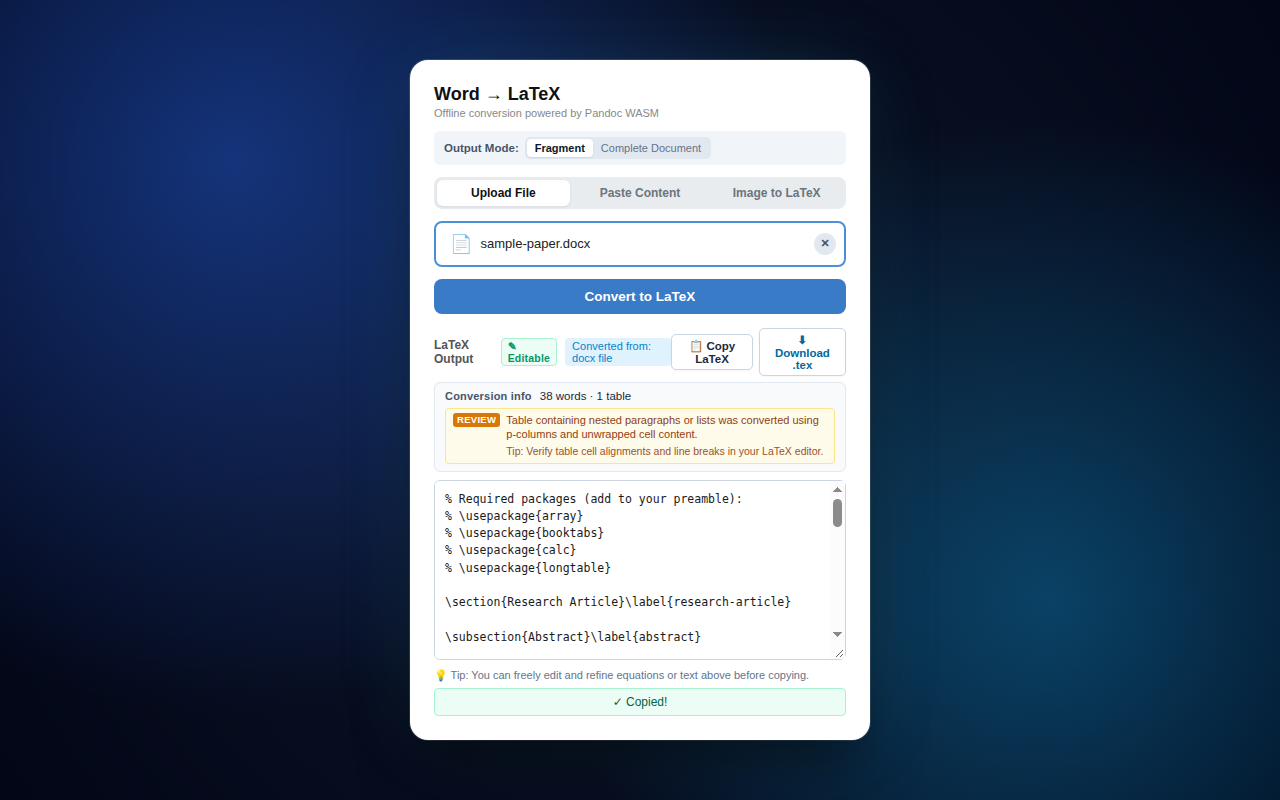
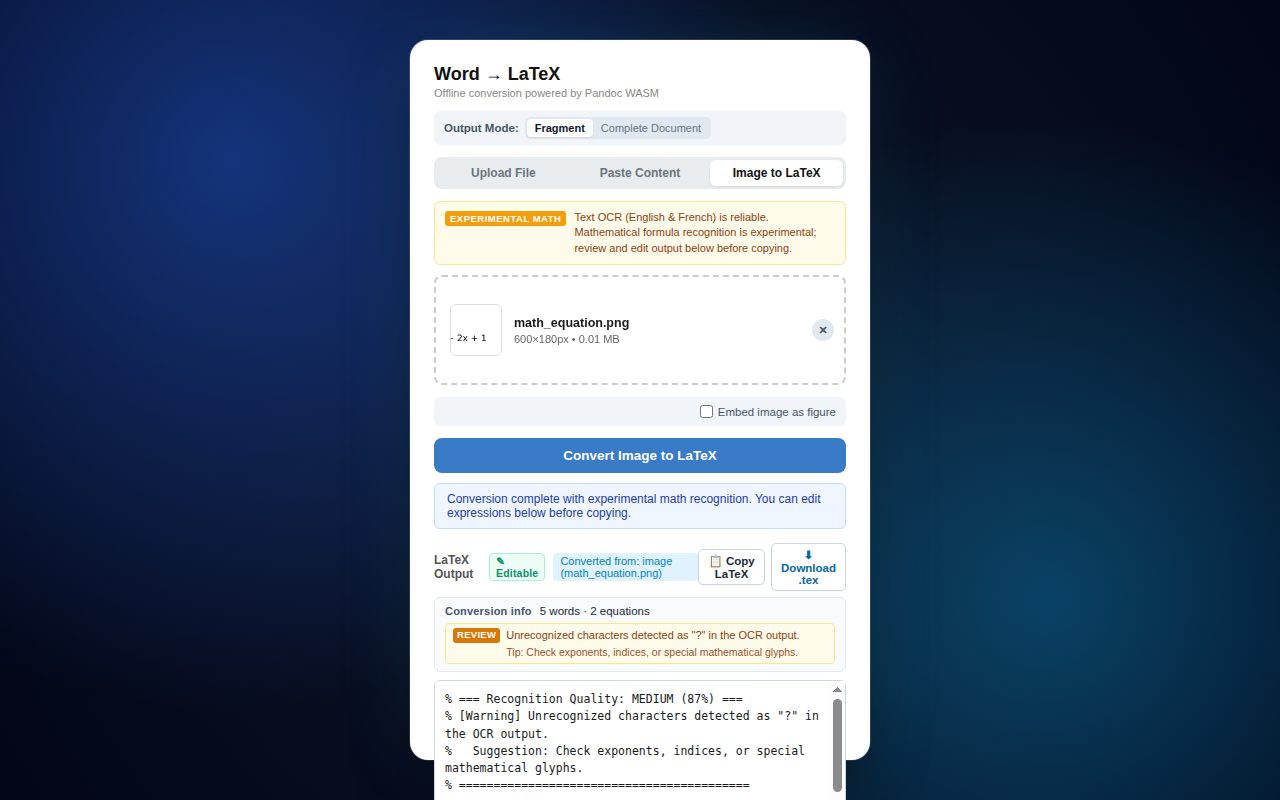
Word to LaTeX conversion output interface with instant clipboard copy toast
Flagship Product

Word to LaTeX (Offline)

A dedicated browser extension that converts Microsoft Word manuscripts, clipboard tables, and typed math images into compilation-ready LaTeX snippets — completely inside your browser.

Pandoc WebAssembly
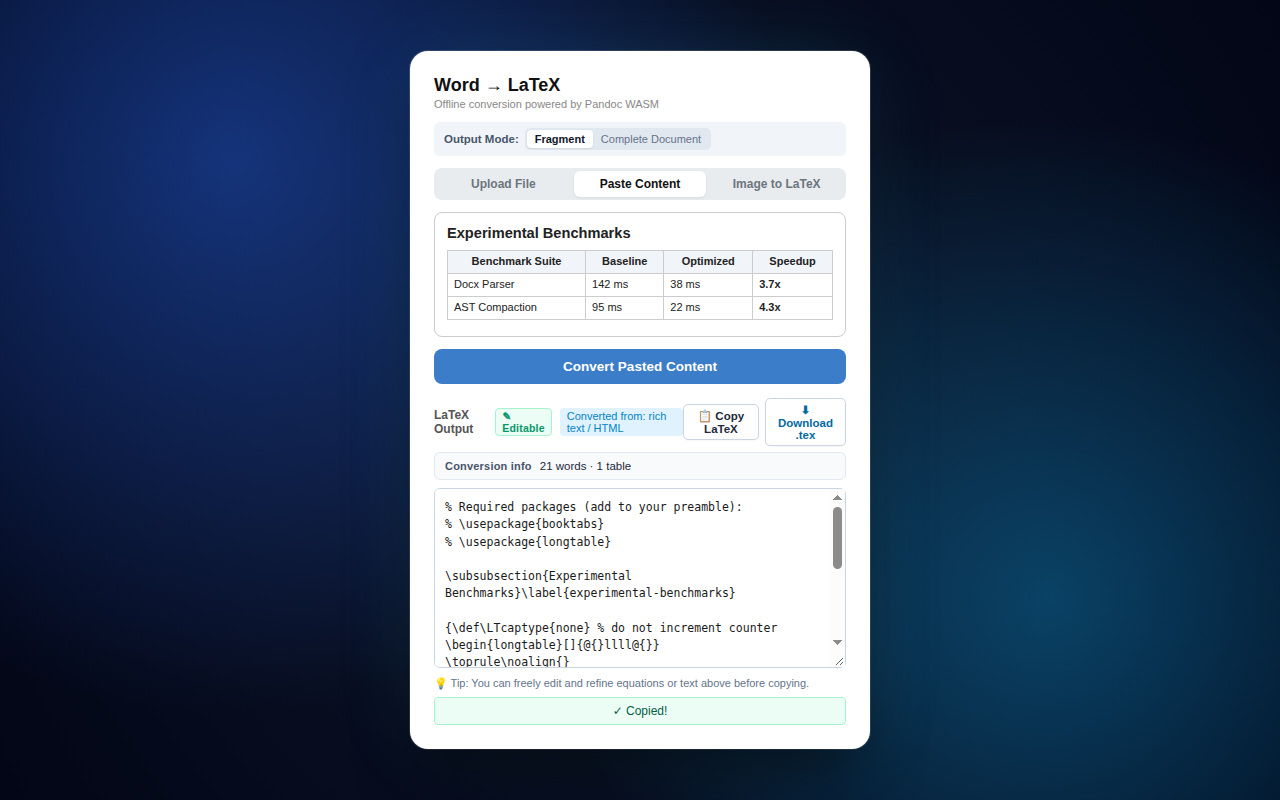
Word to LaTeX output view with instant clipboard sync confirmation Word to LaTeX local DOCX file upload view Word to LaTeX pasted table conversion Word to LaTeX experimental image OCR
Verified 460px Chromium Popup Interface 1280×800 Native Capture
Microsoft Edge Verified Zero Permissions Requested Version 1.0.5

Preserves Complex Word Structure

Extracts headings, bold/italics, nested lists, alignment (center/flushright), page geometry, and tables directly into clean booktabs and longtable syntax.

Instant Clipboard Synchronization

Generates clean body fragments ready to paste directly into Overleaf or TeXstudio. Automatically unwraps \pandocbounded{} and removes \tightlist artifacts.

Offline Image to LaTeX (OCR)

Built-in Tesseract.js engine (English, French, Math) recognizes typed single-line equations, standard Greek characters, and definite integrals locally.

Transparent Scope & Limitations: Image OCR is experimental and tested against an 80-sample golden evaluation corpus (97.5% compile rate). Radicals (√) are often read as V, matrix grids are unreliable, and handwriting is unsupported. Always review OCR output before publication.
Extension Portfolio

Published Edge Add-ons

Each tool is designed with a specific workflow purpose, zero telemetry, and minimal permission requirements.

5 Live Add-ons
Table Extractor icon

Table Extractor

HTML & Virtualized Data Grid Exporter

Data & Research CSV · XLSX · JSON
Main Benefit: Effortlessly captures locked tables and virtualized AG Grid containers without manual formatting cleanup.
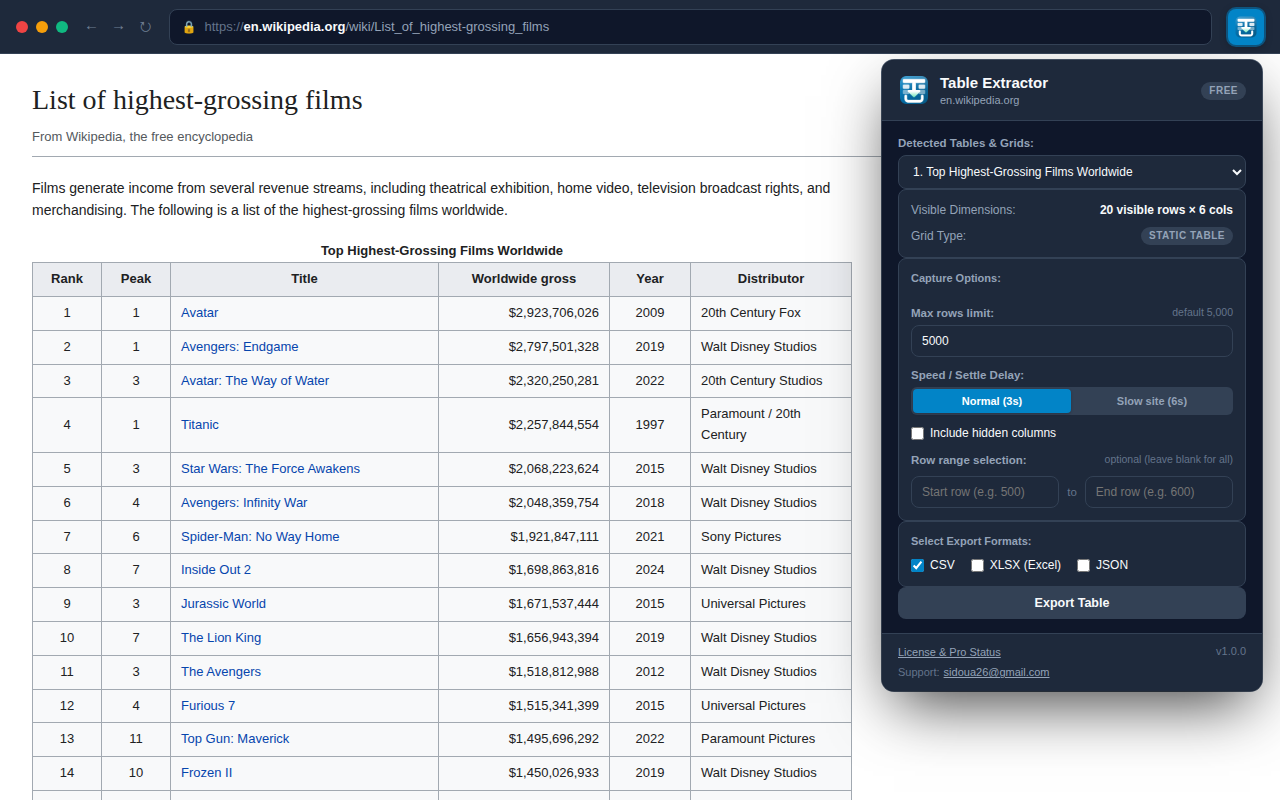
Table Extractor detecting HTML tables
  • Auto-detects standard & virtualized tables
  • UTF-8 BOM encoding for instant Excel opening
  • Granular row range & hidden column recovery

BulkGrab icon

BulkGrab

Batch File Downloader & ZIP Bundler

File Productivity Local ZIP Archiving
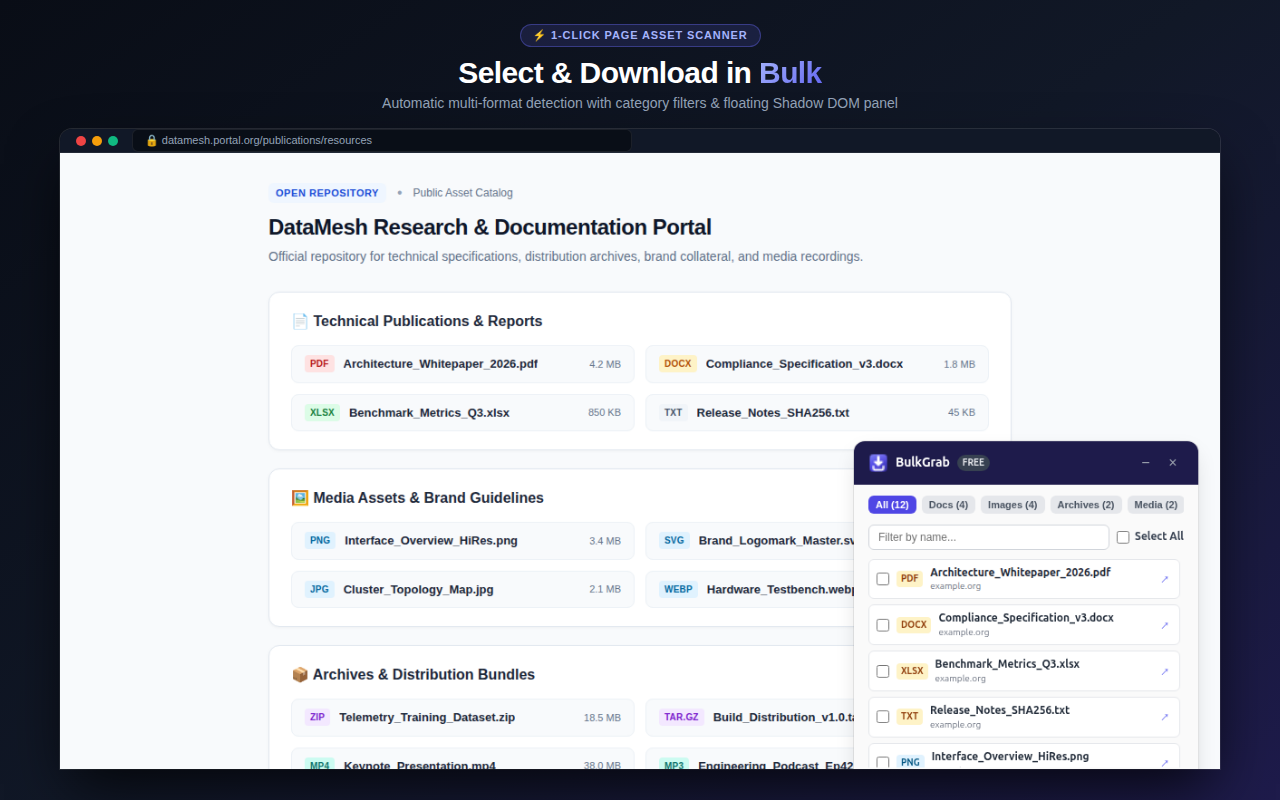
Main Benefit: Detects and bundles embedded documents and media into an organized ZIP file right inside your browser.
BulkGrab interactive floating file detection panel
  • Smart scan for PDFs, images, archives, media
  • Non-intrusive floating in-page selection panel
  • Zero cloud upload — bundles files locally
Word to LaTeX icon

Word to LaTeX

Offline Document & Math Converter

Academic & Research 0 Permissions · 100% Offline
Main Benefit: Eliminates tedious document reformatting by turning Word OpenXML into paste-ready LaTeX fragments.
Word to LaTeX conversion interface preview
  • Native .docx conversion with Pandoc WASM
  • Booktabs tables & automatic artifact removal
  • Offline Tesseract OCR math assistance
SEO Inspector icon

SEO Inspector

On-Page Technical Diagnostics

SEO & Engineering 9 Diagnostic Tabs
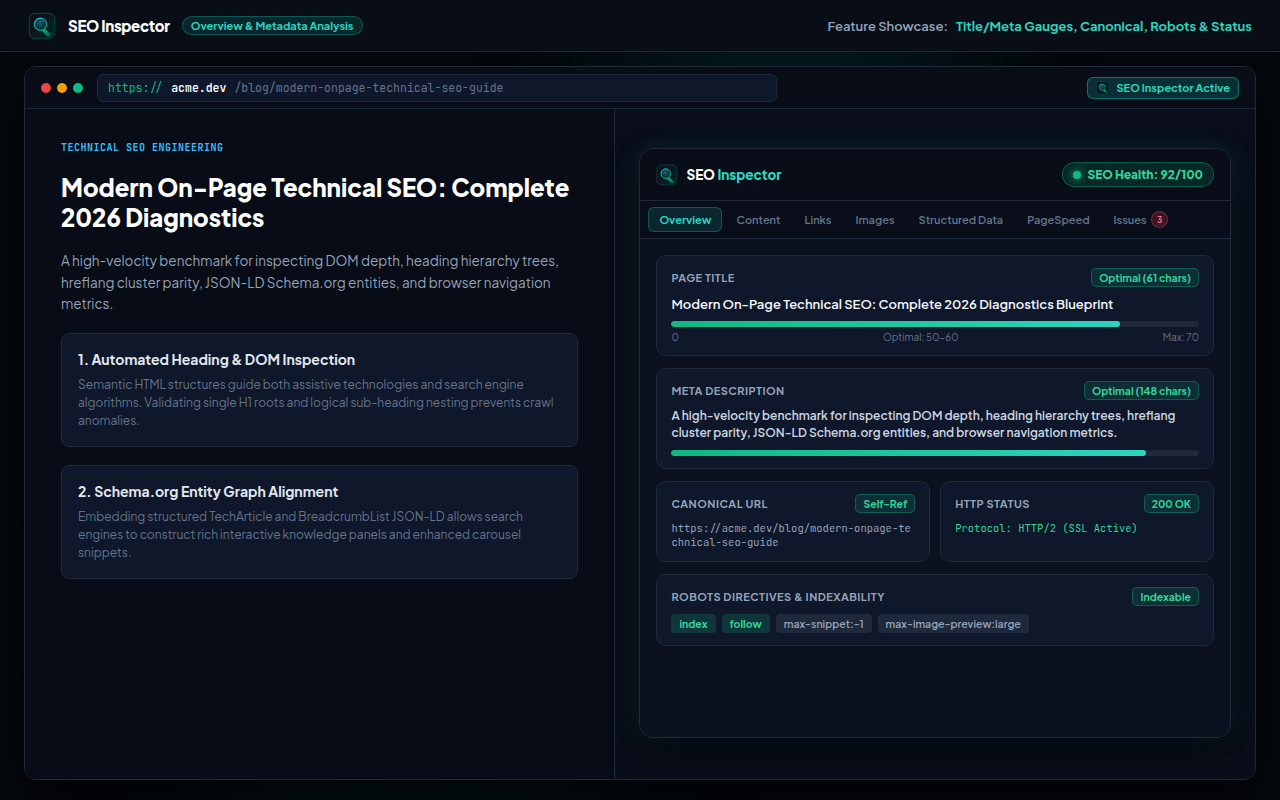
Main Benefit: Instant on-page audit evaluating headings, meta, canonical tags, and Web Vitals in a single click.
SEO Inspector overview diagnostics tab
  • H1-H6 hierarchy visualizer & keyword density
  • JSON-LD structured data parser & validator
  • Navigation Timing API benchmarks & export
AuditPilot icon

AuditPilot

AI Website & CRO Auditor

Consulting & CRO Client-Ready PDF
Main Benefit: Automatically analyzes conversion roadblocks, suggests copy rewrites, and generates branded PDF reports.
AuditPilot active audit score dashboard
  • 5-pillar diagnostics (Value Prop, CRO, SEO, UX)
  • Severity-ranked findings & copy suggestions
  • Executive branded PDF export for proposals
Installation Guide

Simple Installation on Microsoft Edge

Install directly from the Microsoft Edge Add-ons store in one click, or test unpacked builds via Developer Mode.

1

Open Store Page

Click "Get on Edge" on any extension above to open its verified Microsoft Edge Add-ons listing.

2

Click "Get"

Click the blue Get button. Edge will prompt to verify the minimal permissions requested.

3

Pin to Toolbar

Click the puzzle icon in Edge's toolbar and select the pin icon next to the extension for instant access.

4

Developer Unpacked

For offline testing: download the release ZIP from GitHub, open edge://extensions, toggle Developer mode, and click Load unpacked.

MailFlow

In Active Development

Gmail template manager with dynamic variables, compose shortcut auto-expansion, and scheduled sending.

Coming Soon to Edge Add-ons
Engineering Philosophy

Local-first browser software

I build focused, high-utility browser extensions for developers, academics, and researchers. Software should respect user autonomy: everything runs locally in the browser sandbox, requiring zero remote servers, no user accounts, and zero background analytics.